

#
Unlock A Locked Assembly
Create a license file for an assembly that you have already protected and locked.
Use the matching project
Open the saved project used to protect the assembly. License creation requires the same master key.
#
1. Open your saved project
Open the saved .NET Reactor project for the locked assembly.
#
2. Configure the license
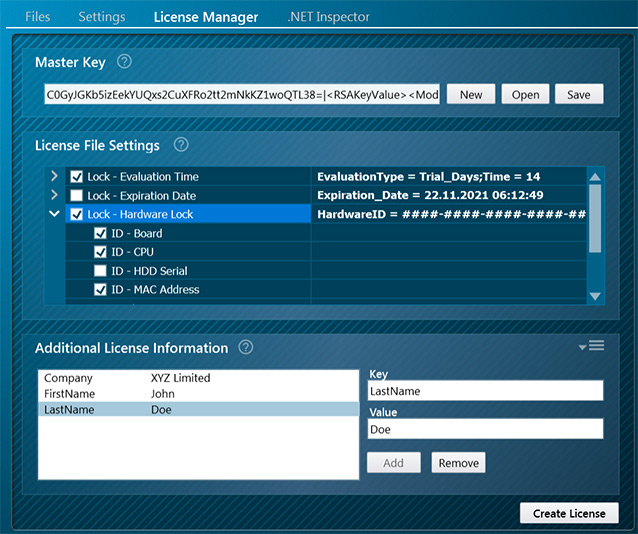
On the License Manager page, configure the required license settings.
#
3. Create the license file
Click Create License on the License Manager page and save the license file.

#
4. Deploy the license file
Copy the license file to the location of the locked assembly.
License file deployed
The valid license file unlocks the assembly according to the license settings you configured.
#
Related topics
License File Settings · License.dll examples
Offline licensing · License not accepted