

#
License Invalidation Tool
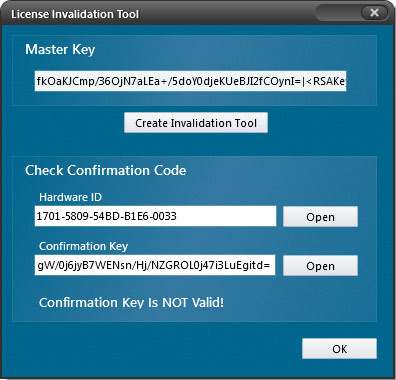
For hardware-locked licenses, use the License Invalidation Tool to invalidate a license on one machine before moving the licensed installation to another machine.
#
Create and use an invalidation tool
- Load the .NET Reactor project associated with the license.
- Open the License Invalidation Tool.
- Click Create Invalidation Tool to generate an executable.
- Have the customer run the executable on the machine whose license must be invalidated.
- Obtain the confirmation key generated on that machine.
Verify the confirmation key
A valid returned confirmation key confirms that you can issue a new license for the move.
#
Related topics
Check a confirmation code with License.dll · License Reactivation Tool