
#
Menu/Bar Items
The IntelliLock ribbon groups commands by workflow. Commands can be unavailable when no project is open or when their prerequisites are not met.
#
Tasks
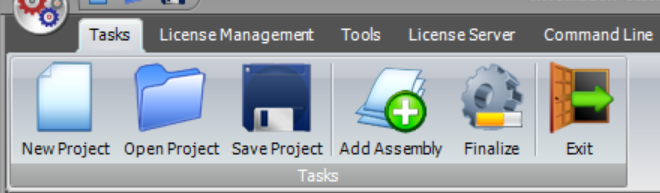
- New Project — creates a new IntelliLock project.
- Open Project — opens an existing project.
- Save Project — saves the current project.
- Add Assembly — adds a .NET assembly to the current project.
- Finalize — protects the configured assemblies and writes the output.
- Exit — closes IntelliLock.
#
License Management
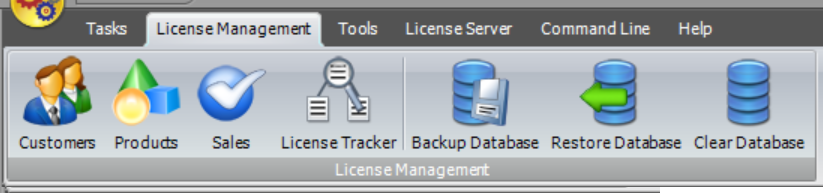
- Customers — manages local customer records.
- Products — manages local products.
- Sales — manages commercial sales records.
- License Tracker — shows local license generation/request history.
- Backup Database — saves a backup of the local IntelliLock database.
- Restore Database — restores a compatible database backup.
- Clear Database — removes database records after confirmation.
The desktop License Management database and the generated Web Management site are separate installations. Use the website's Database Manager for server-side backup, import or merge operations.
#
Tools
- License Check — inspects the license information in a license file.
- Hardware ID Check — obtains the Hardware ID of the current machine.
- StackTrace Deobfuscator — deobfuscates stack traces with an IntelliLock mapping file.
- Deactivation Code Verificator — validates a deactivation code and reports its machine identity.
- License Reactivator — generates a reactivation code for an invalidated license file.
- Visual Studio Add-In — installs the IntelliLock automation Add-In for a supported Visual Studio version.

#
License Server
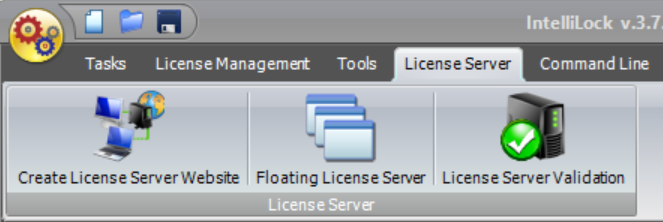
- Create License Server Website — generates the complete ASP.NET License Server/Web Management website and a one-time setup code.
- Floating License Server — opens guidance for Internet/web-based and intranet Floating Licensing.
- License Server Validation — opens guidance for validating license files against the web License Server.
See the License Server overview and Quick Start for the complete deployment workflow.
#
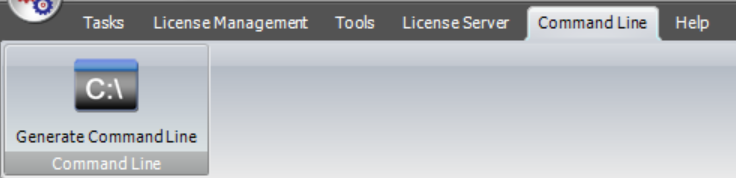
Command Line
- Generate Command Line — creates command-line arguments corresponding to the current project settings.
#
Help
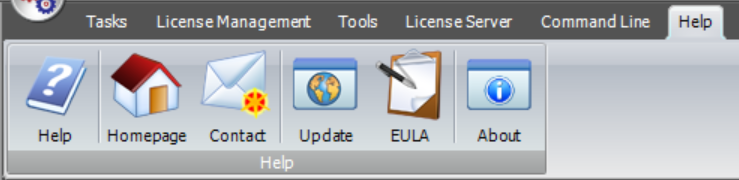
- Help — opens this help.
- Homepage — opens www.eziriz.com.
- Contact — opens contact information. Read Technical Support before reporting a problem.
- Update — checks for a newer IntelliLock version.
- Activate IntelliLock — activates IntelliLock for full use.
- EULA — displays the license agreement.
- About — displays version and license information.