

#
IntelliLock License Server
The IntelliLock License Server is a website for managing software licenses. You do not need to write code for normal setup and daily use.
You can use the website to:
- create and manage customer license files;
- check licenses online;
- limit the number of users who run a product at the same time; and
- optionally create and email licenses after an online purchase.
The website also includes user accounts, two-factor authentication, backups and automatic health checks. It runs on ASP.NET 4.8 and stores its data in an encrypted SQLite database.
The website may be installed and used only with a valid IntelliLock license and in accordance with the applicable IntelliLock license terms.
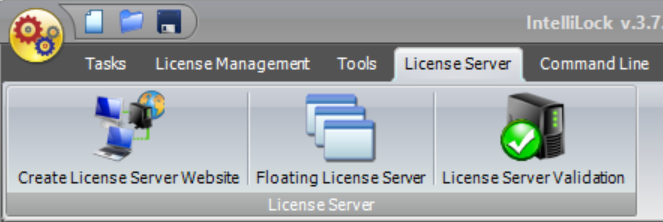
The dedicated License Server tab keeps website generation, Floating License Server help and License Server Validation together in one visible place.
#
What the website provides
- A first-run installation process that does not store passwords in
web.config. - An encrypted SQLite database using SQLite3 Multiple Ciphers and ChaCha20-Poly1305.
- Central License records that connect a customer, a product, validity dates and the live blocked state.
- Public Validation and Floating Licensing endpoints backed by the selected IntelliLock project.
- Additional virtual service endpoints without creating physical folders or service files.
- Optional commerce webhooks that can create customers, sales, licenses and queued license emails.
- Role-based management access, optional authenticator-based two-factor login, rate limiting and security-stamped sessions.
- Read-only health checks for installation files, database integrity, schema, project files and relationships.
#
Core data model
The current model deliberately keeps business identity and entitlement data in one place:
Project <── Product <── License ──> Customer
                         │
                         └── FloatingLicense ──> volatile sessions

Customer + Product ──> Sale- A Project references an
.ilprojor.nrprojfile inApp_Data. - A Product normally selects the project used to create its licenses.
- A License must select a customer and may select a product. It owns the blocked state and validity period.
- A FloatingLicense selects exactly one central License and contains only pool behavior such as concurrent-user limit, refresh time and timeout.
- A Sale is a commercial record. It does not create a license by itself.
#
Public and private parts
The Validation, Floating Licensing and commerce callback URLs are public by design because protected client applications and commerce providers must reach them without a management login. They validate protocol data, project assignment, signatures and rate limits before doing work.
All pages below /licensemanagement/ require an authenticated management
account. Management pages use encrypted ViewState, CSRF protection, restricted
cookies and no-store cache headers.
#
Requirements
- Windows Server with IIS and ASP.NET 4.8.
- A 64-bit Integrated application pool.
- Modify permission for the application-pool identity on
App_Data. - Persistent local storage for the complete
App_Datadirectory. - HTTPS with a valid certificate for production use.
- One active web instance when using the bundled SQLite storage.
- A valid IntelliLock license.
If another company hosts the website for you, send these requirements to its support team. The detailed IIS steps are in Deployment and First-run Setup.
Portable mode makes copying one persistent installation easier. It does not make the SQLite database suitable for concurrent access from multiple containers, deployment slots or cloud instances.
#
Recommended reading order
- Quick start
- Deployment and first-run setup
- Customers, products and licenses
- License Server Validation
- Floating Licensing
- Backup, import and server migration
- Glossary when an unfamiliar term appears