

#
Security Settings and Access Control
Management pages require an authenticated account. Public validation, floating and commerce endpoints remain reachable because protected applications and payment providers must call them without a management login.
For a small installation, keep one full administrator for maintenance and give daily users only the permissions they need.
#
HTTPS and sign-in
The login and initial setup pages display a warning on an unencrypted HTTP
connection, but do not block it. Use HTTPS before entering production
credentials. After HTTPS is working, set Security.RequireHttpsForManagement to
true in web.config to prevent management use over HTTP.
Repeated failed logins are throttled. Successful authentication issues a session bound to the account's current security stamp. Changing a password, resetting two-factor authentication or importing a database invalidates older sessions.
#
Password and authenticator settings
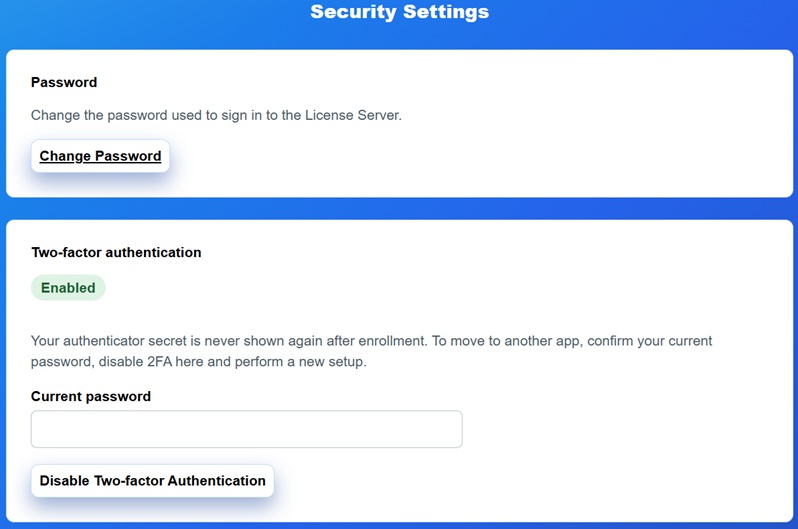
Open Security > Security Settings to change the current password or manage time-based two-factor authentication (TOTP).
To enable TOTP:
- Select Set Up Authenticator.
- Scan the QR code with a compatible authenticator application, or enter the displayed key manually.
- Enter a current six-digit code to confirm enrollment.
- Store the authenticator recovery information securely.
The current user can disable TOTP by confirming the current password; a TOTP code is not required for that operation. Administrators can see whether TOTP is enabled for another account and can reset it, but cannot view its secret.
#
Access Control
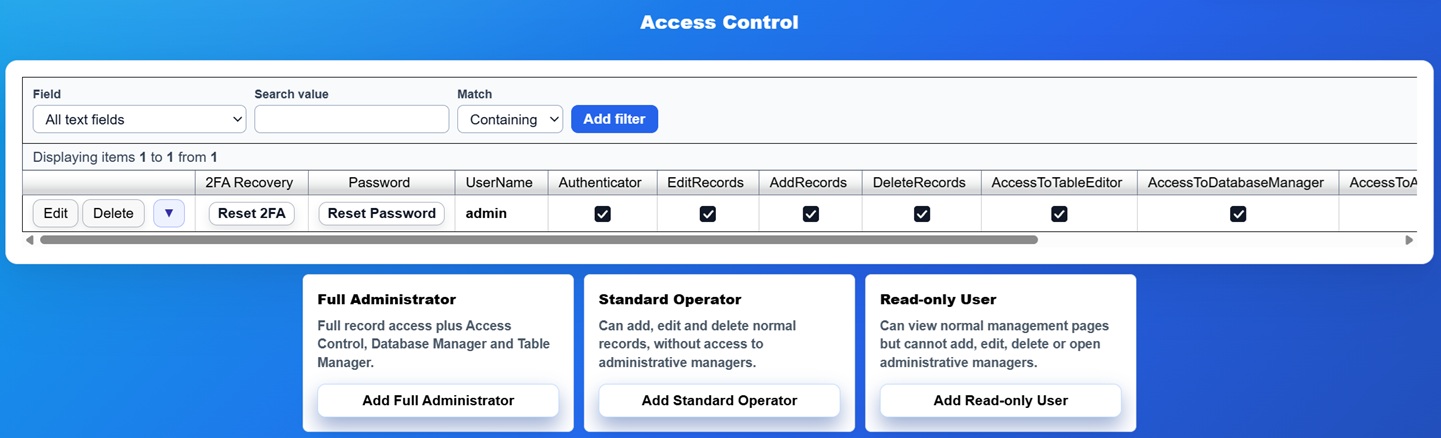
Open Security > Access Control to add accounts and assign permissions. The presets provide safe starting points:
- Full Administrator — record changes plus Access Control, Database Manager and Table Manager.
- Standard Operator — normal business-record work without the three administrative managers.
- Read-only User — view access without adding, editing or deleting records.
A preset account receives a random one-time password and must change it at first sign-in. Copy that password immediately and transfer it through a secure channel. After creation, review the individual permission columns and any daily edit limit.
#
Sensitive database operations
Database download, import, merge, clear and rebuild require a management authentication confirmation no older than five minutes. If TOTP is enabled for the current account, a current authenticator code is also required. This limits the impact of an unattended browser or stolen authentication cookie.
Use a separate named account for every operator. Do not share the original administrator credentials, and remove accounts as soon as access is no longer needed.