

#
E-commerce Fulfilment and Email
The E-commerce integration accepts signed payment notifications, maps purchased items to IntelliLock products and can create customers, sales records and license files automatically. Supported built-in providers are Digistore24, FastSpring, PayPal IPN and ClickBank.
The built-in providers do not require programming. Complete these parts in order: email, provider profile, product mapping, then a sandbox test order.
#
1. Configure email delivery
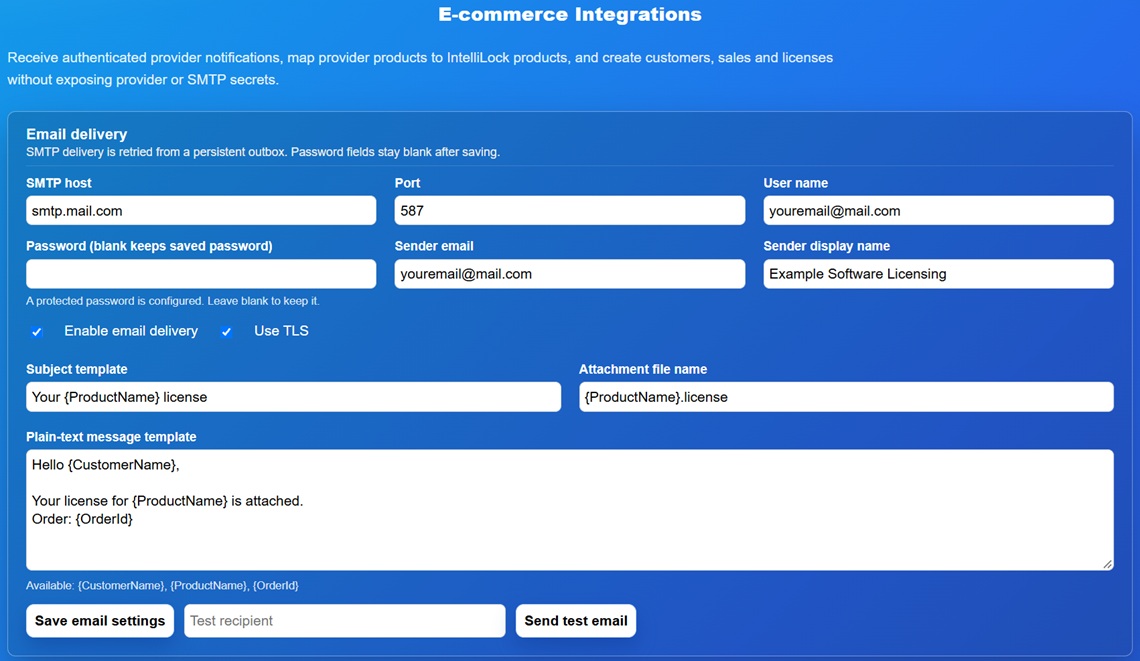
Open Integrations > E-commerce Integrations and enter the SMTP host, port, user name, password, sender address and display name supplied by the email provider. Enable TLS when required by that provider. Use Send test email before enabling automatic fulfilment.
The password field is intentionally blank after saving. The status text tells you whether a password is already stored.
IntelliLock License Server connects to the configured SMTP server directly. It does not provide a generic SMTP proxy field. If a hosting provider requires a special relay, proxy or approved outbound port, enter the relay details supplied by that provider or ask the host to permit the external SMTP service.
#
2. Create a provider profile
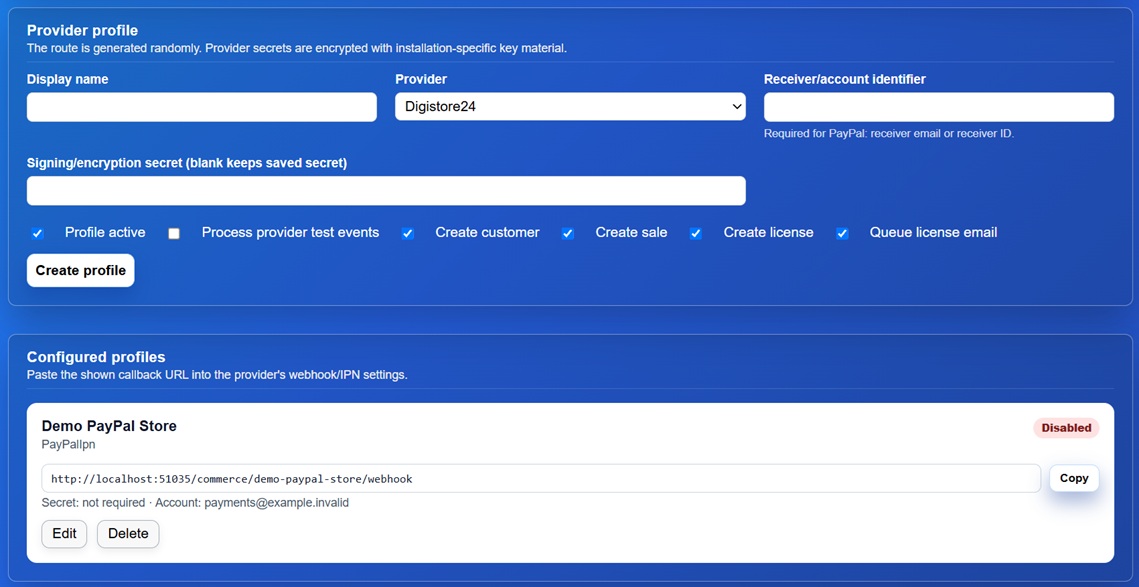
Create a separate profile for every store/provider account. Enter its public identifier and the verification secret or key supplied by the provider. The website protects stored provider secrets and never renders them back into the form.
Copy the webhook URL displayed for the profile into the corresponding provider portal. Production webhook URLs must use HTTPS.
#
3. Map store products
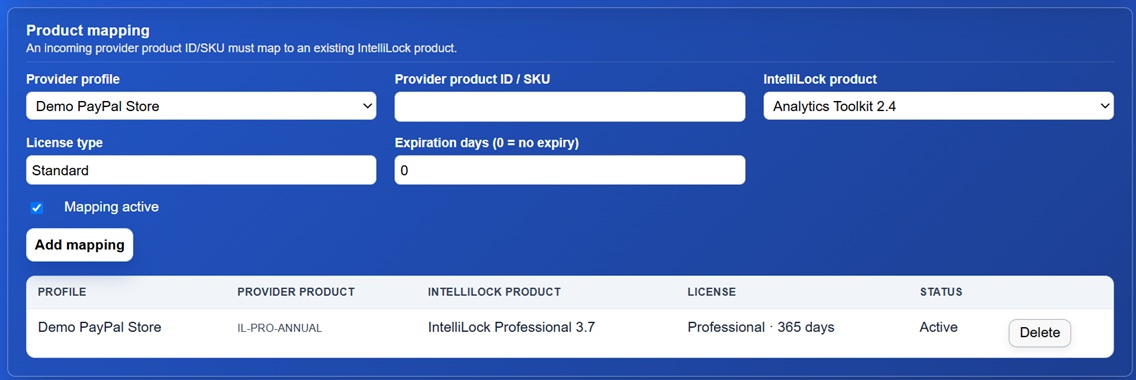
Add a mapping from the external product or offer identifier to an IntelliLock Product. Configure whether a successful order should create a Customer, Sale and License. License creation uses the Project assigned to that Product and the same license-generation path as the management UI.
Email subject, plain-text message and HTML message templates can use the placeholders listed beside the editor, including customer, product and order information. Keep the plain-text template useful even when an HTML template is also supplied.
#
Processing and retries
- The public handler verifies the provider signature and normalizes the event.
- Duplicate provider events are ignored safely.
- The configured customer, sale and license operations are performed.
- The license email is placed in the persistent outbox.
- Failed email deliveries remain queued and can be retried after fixing SMTP settings.
Refund and chargeback events block the affected central License when the event can be associated with its original fulfilment. This also affects subsequent License Server Validation and linked Floating Licenses.

#
Operational checks
- Use HTTPS for every webhook URL.
- Keep provider verification secrets outside screenshots and support bundles.
- Perform an end-to-end sandbox purchase before accepting real payments.
- Confirm Customer, Sale and License records, the downloaded/generated file and email delivery.
- Review System Health after changing mappings.