

#
System Health Checks
System Health is a read-only diagnostic page. It detects invalid references, missing files and security or schema inconsistencies without changing business records automatically.
It is safe to run this check at any time. A green result means that no known problem was found. A warning explains the affected record and normally links to the page where you can fix it.
The most recent result is summarized on the Management dashboard. A lightweight cached check also runs after sign-in, while Run checks now performs a fresh full scan.
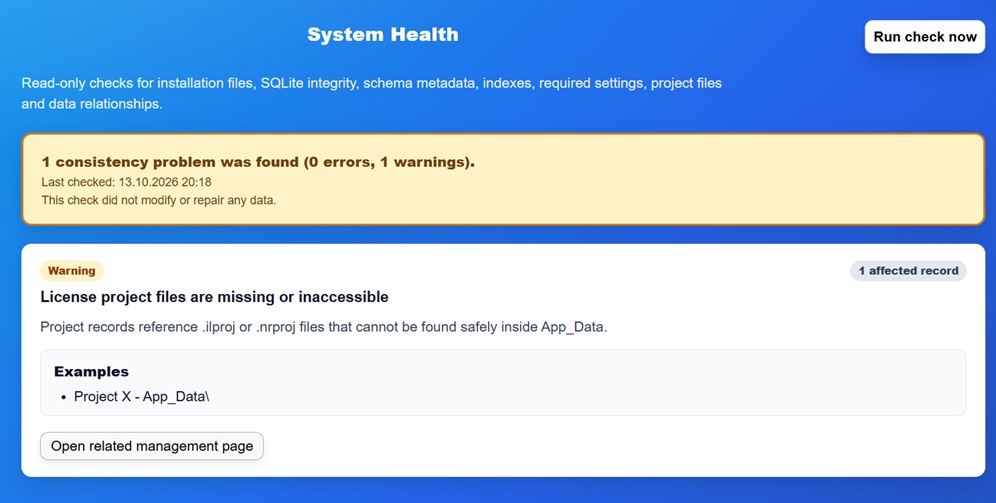
Checks include, among others:
- required installation files and readable protected settings;
- database connectivity, SQLite integrity and schema/encryption metadata;
- pepper fingerprint and management-account security fields;
- Projects whose relative
.ilproj/.nrprojfile is missing or unsafe; - Products without a usable Project and Licenses without a Customer;
- Floating Licenses without a linked central License;
- inconsistent blocked, expiration or relationship data;
- Service Endpoint profiles whose Project file is unavailable;
- invalid E-commerce profiles, mappings, fulfilments or email references;
- TOTP state and protected authenticator secrets.
#
Responding to a warning
- Open the linked management page from the warning.
- Correct the record, upload/restore the required project file or adjust the configuration.
- Run the checks again.
- Confirm that no other record depended on the changed item.
Do not delete a record merely to hide a warning. A missing relationship can represent an already-issued license or an external service URL. Back up the installation before structural changes.
Security.RequireHttpsForManagement=false is permitted so setup and local tests
remain possible. System Health does not replace the HTTPS deployment decision.
Enable this setting after a valid HTTPS binding is available, as described in
Deployment and First-run Setup.